The AVERAGEA DAX Function: Syntax, Rules, and Why It's Rarely the Right Choice
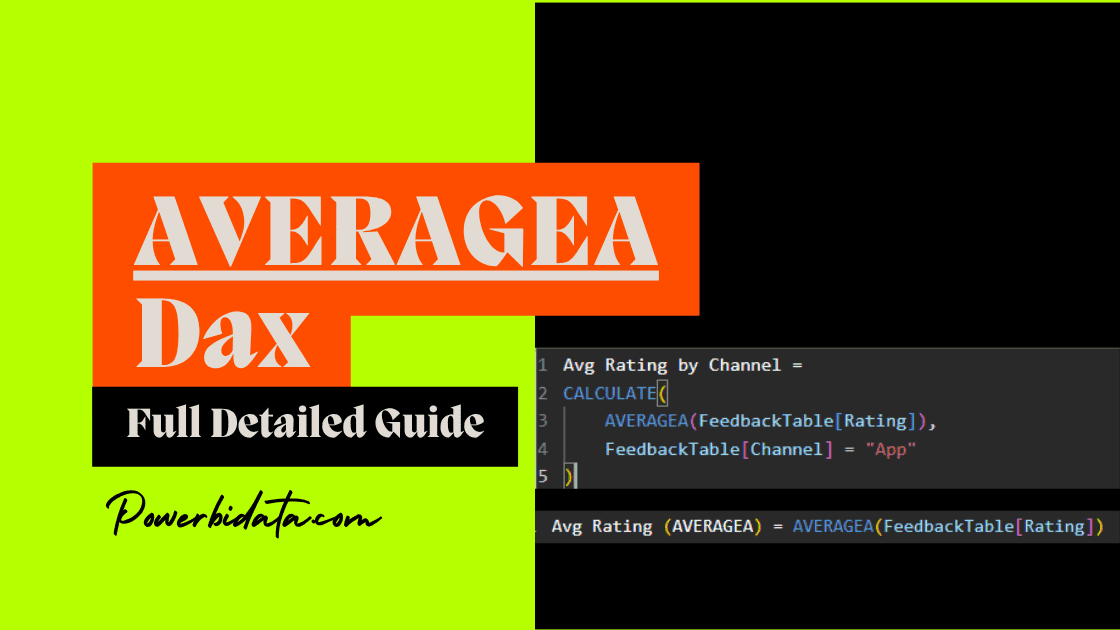
AVERAGEA is a DAX aggregation function that averages a column after converting every non-numeric value in it to a number first. It does this rather than skipping non-numeric values the way AVERAGE does. It exists for the rare case where a column genuinely mixes numbers, logical values, and text, and you want every row folded into a single average.
Key Takeaways
- ✓ AVERAGEA averages a column while converting non-numeric values into numbers first: TRUE becomes 1, FALSE becomes 0, and any text value — no matter what it contains — also becomes 0.
- ✓ Unlike AVERAGE, AVERAGEA doesn't exclude blank cells from the count. A row with no value entered still counts toward the denominator, contributing 0 to the total. That single difference can pull a result down in ways that surprise people coming from AVERAGE.
- ✓ A text value that looks like a number still becomes 0. Excel's AVERAGEA tries to interpret numeric-looking text; DAX's AVERAGEA doesn't. A text column full of "5", "10", and "15" averages to exactly 0.
- ✓ Internally, for anything other than a Boolean column, AVERAGEA is implemented as AVERAGEX iterating the same table — which is why its behavior on genuinely mixed columns can feel less predictable than a simple aggregation.
- ✓ This function has a narrow, specific purpose. For almost every real reporting scenario, AVERAGE (on a clean numeric column) or AVERAGEX with an explicit conversion is the safer, more predictable choice.
What AVERAGEA Actually Does
That conversion follows a fixed set of rules, and they're stricter than most people expect coming from Excel. A value that evaluates to TRUE counts as 1. FALSE counts as 0. Any text value — including empty text and, critically, text that looks like a number — also counts as 0. This last rule is where AVERAGEA in DAX genuinely parts ways with its Excel namesake: Excel's AVERAGEA will interpret a text cell containing "5" as the number 5 in some contexts, but DAX's version won't. It converts every string to 0, full stop, regardless of what's inside it.
The syntax:
AVERAGEA(<column>)Same shape as AVERAGE and DISTINCTCOUNT — one column argument, no expressions allowed directly inside the parentheses. The difference is entirely in what happens to the values once DAX has them.
Syntax and Requirements
| Requirement | Detail |
|---|---|
| Applies to | Calculated column, calculated table, measure, visual calculation |
| Argument | A single column reference — not an expression |
| Logical values | TRUE counts as 1, FALSE counts as 0 |
| Text values | Always counts as 0 — including empty text and numeric-looking text |
| No rows to aggregate | Returns BLANK |
| DirectQuery restriction | Not supported in calculated columns or row-level security (RLS) rules under DirectQuery |
The Sample Dataset
Every example below uses the same FeedbackTable — 12 rows from a customer feedback form where the Rating column genuinely mixes data types: numeric scores, blank non-responses, boolean quick-reaction toggles, and text placeholders entered by mistake. This kind of column shows up more often than it should whenever survey data gets exported from a tool that doesn't enforce a single data type per field.
| FeedbackID | Customer | Channel | Rating |
|---|---|---|---|
| 1 | Aiden | App | 5 |
| 2 | Priya | Web | 4 |
| 3 | Noah | App | (blank) |
| 4 | Grace | Web | TRUE |
| 5 | Liam | App | 3 |
| 6 | Zoe | Web | "N/A" |
| 7 | Omar | App | FALSE |
| 8 | Maya | Web | 2 |
| 9 | Ethan | App | (blank) |
| 10 | Sofia | Web | 5 |
| 11 | Kai | App | "Skipped" |
| 12 | Ivy | Web | 4 |
Example 1: What AVERAGE Can't Do Here, and What AVERAGEA Does Instead
Avg Rating (AVERAGEA) = AVERAGEA(FeedbackTable[Rating])
Because the Rating column mixes numbers, logical values, and text, AVERAGE simply can't process it as a numeric column. DAX treats a column like this as non-numeric overall, and AVERAGE on a non-numeric column returns blank rather than attempting a partial calculation. AVERAGEA, by contrast, converts every one of the 12 rows into a number using its documented rules and returns a real result: 2.0. That's a sum of 24 across all 12 rows. Compare that to the 23 you'd get from just the six genuinely numeric ratings — every non-numeric row still contributes something to both the total and the count, even if that something is zero.
Example 2: Why Blank Rows Pull the Average Down
This is the detail most explanations of this function skip entirely. Rows 3 and 9 — Noah's and Ethan's — have no rating entered at all. With AVERAGE, a genuinely blank cell is excluded from both the sum and the count, the same way it would be excluded from a plain numeric column. AVERAGEA doesn't do that. Both blank rows count as 0 and both still occupy a slot in the denominator.
Strip out just the six purely numeric ratings (5, 4, 3, 2, 5, 4) and you get an average of roughly 3.83. Run AVERAGEA across the full 12-row column instead, and the two blank rows alone drag that down before text and logical values even get involved. This is the single biggest reason a AVERAGEA result can look unexpectedly low compared to what a person eyeballing "the numbers in this column" would estimate.
Example 3: Filtering with CALCULATE
Avg Rating by Channel =
CALCULATE(
    AVERAGEA(FeedbackTable[Rating]),
    FeedbackTable[Channel] = "App"
)
Filtering the sample dataset down to just the App channel's six rows and applying AVERAGEA's conversion rules gives 1.33. The Web channel's six rows come out to 2.67. CALCULATE behaves with AVERAGEA the same way it behaves with any other aggregation. It narrows the filter context first, and the conversion-and-average logic runs against whatever rows remain.
Example 4: The Text-Always-Zero Trap
Imagine a different column where every value is stored as text but looks perfectly numeric — "5", "10", "15". This is the kind of thing that happens after a CSV import defaults a column to text formatting. Someone reasonably expecting AVERAGEA to behave like its Excel counterpart might assume it'll read those as 5, 10, and 15 and return 10. It doesn't. Every one of those text values converts to 0 under AVERAGEA's rules, and the function returns 0. That's not an error and not a warning — just a silently wrong-looking number that happens to be exactly what the documented behavior says it should be.
The fix, when a column like this shows up, isn't AVERAGEA at all. It's converting the text to numbers explicitly and using AVERAGEX:
Avg From Text Column =
AVERAGEX(
    SourceTable,
    VALUE(SourceTable[TextNumberColumn])
)
Example 5: What AVERAGEA Actually Runs Underneath
For any argument that isn't a plain Boolean column, AVERAGEA is implemented internally as an AVERAGEX call iterating the same table. In other words:
AVERAGEA(FeedbackTable[Rating])behaves the same as:
AVERAGEX(FeedbackTable, FeedbackTable[Rating])with the value-conversion rules folded into how each row's expression resolves. Knowing this matters for two reasons. First, it explains why AVERAGEA on a mixed column isn't a lightweight, purpose-built aggregation the way AVERAGE is — it's row-by-row iteration with conversion logic attached. Second, this function isn't available in every context. It's specifically unsupported in calculated columns and row-level security rules when the underlying table is in DirectQuery mode, which rules out a meaningful set of enterprise scenarios where RLS is standard practice.
Core Rules and Default Behavior
- • Every row counts toward the denominator, always. Unlike AVERAGE, there's no category of value that gets excluded from the row count — numbers, TRUE/FALSE, text, and blanks all occupy a slot.
- • Text converts to 0 unconditionally. This includes text that represents a number. AVERAGEA never parses a string into a numeric value the way Excel sometimes does.
- • Blank cells convert to 0, not to "nothing." This is the opposite of how AVERAGE treats blanks, and it's the detail most likely to produce a surprising result.
- • No rows at all returns BLANK. That's a genuine empty context, distinct from a context full of rows that each individually evaluate to 0.
- • It's implemented as AVERAGEX under the hood for anything beyond a pure Boolean column, which is why its performance and behavior characteristics track closer to an iterator than to a simple aggregation.
- • DirectQuery support is narrower than AVERAGE's. Calculated columns and RLS rules built on DirectQuery tables can't use this function at all.
In Practice
A customer experience analyst inherits a Rating column from a legacy survey tool. It exported responses inconsistently. Some came in as numeric scores, some as a boolean "Satisfied" checkbox translated into TRUE/FALSE. A handful were left blank when a respondent skipped the question, and a few stray "N/A" entries came from an early version of the form. The analyst's first instinct is AVERAGEA, since it's the only built-in aggregation that accepts every value in the column without erroring out.
After seeing the average come out lower than a quick manual scan of the numeric responses suggested, the analyst traces it back to Example 2's behavior. The blank rows and the "N/A" entries are all silently counting as zero satisfaction, dragging the number down in a way that misrepresents what actually happened. The better fix turns out to be upstream. That means cleaning the data so blanks stay genuinely blank, booleans get converted to a real 1/5 or 5/5 scale, and only real numeric ratings feed a plain AVERAGE measure. AVERAGEA gets used for exactly one purpose here: as a quick diagnostic to spot that the column needs cleaning in the first place.
Common Mistakes
Mistake 1: Expecting AVERAGEA to parse numeric-looking text
As shown in Example 4, a text column full of "5", "10", "15" doesn't average to 10 — it averages to 0, because every string converts to 0 regardless of its content. This is the single most common source of a badly wrong result from this function.
Mistake 2: Not realizing blank cells count as zero, not as excluded
People who already know AVERAGE's blank-handling rules bring that mental model to AVERAGEA. That's how they get caught out by Example 2's behavior, where a missing response quietly becomes a zero instead of vanishing from the calculation.
Mistake 3: Using AVERAGEA as a general-purpose substitute for AVERAGE
On a genuinely clean numeric column, AVERAGE and AVERAGEA return the same result, but AVERAGEA runs as an iterator under the hood rather than a lightweight aggregation. There's no upside to reaching for it by default.
Mistake 4: Treating it as a data-cleaning tool
AVERAGEA doesn't fix a messy column — it just forces every value in that column into a number, silently, using rules a report viewer has no way of seeing. If the underlying data has real quality problems, converting it to an average doesn't solve them; it hides them.
Frequently Asked Questions
What does the AVERAGEA function do in DAX?
It averages a column after converting every value to a number: TRUE becomes 1, FALSE becomes 0, and any text — including numeric-looking text — becomes 0.
Does AVERAGEA treat blank cells the same way AVERAGE does?
No. AVERAGE excludes blank cells from both the sum and the count. AVERAGEA counts a blank cell as a row contributing 0, which can pull the result down noticeably.
Does AVERAGEA read a text value like "5" as the number 5?
No. Unlike Excel's AVERAGEA, the DAX version converts every text value to 0 regardless of what the text contains, even if it looks like a valid number.
What's the difference between AVERAGEA and AVERAGEX?
AVERAGEA takes a single column and applies fixed conversion rules automatically. AVERAGEX takes a table and an expression, giving you full control over how each row's value gets calculated or converted before averaging.
Can I use AVERAGEA in row-level security rules?
Not reliably. It isn't supported in calculated columns or RLS rules when the table is in DirectQuery mode, which limits where it can safely be used in enterprise models.
Should I use AVERAGEA on a column I know is fully numeric?
There's no real benefit. AVERAGE handles a clean numeric column more directly, and AVERAGEA's extra conversion logic — implemented internally as an iterator — adds overhead without changing the result.
When does AVERAGEA actually make sense to use?
Mainly as a quick diagnostic on a genuinely mixed-type column, to see a single combined number before deciding how to clean the data properly. For production reporting, an explicit conversion with AVERAGEX is usually the safer choice.

Vivek Dhumal
BI Consultant
BI Consultant & Power BI Developer
Vivek Dhumal is a dedicated BI Consultant and Data Analyst specializing in Power BI development, DAX calculations, SQL data modeling, ETL automation, and scalable business intelligence solutions.